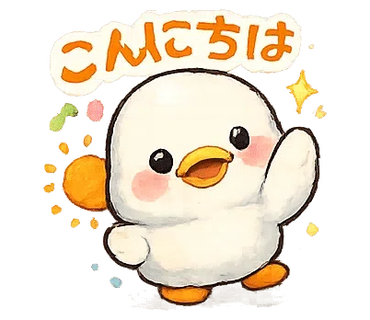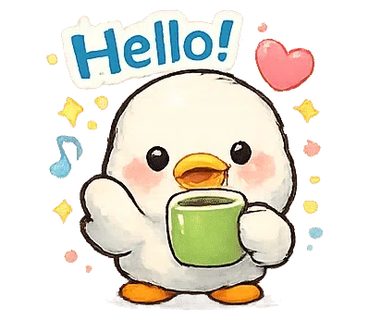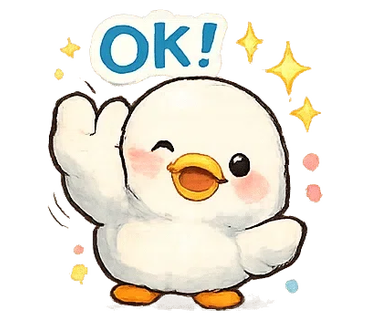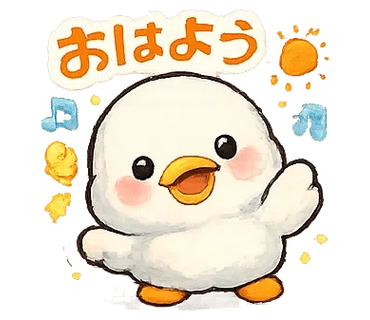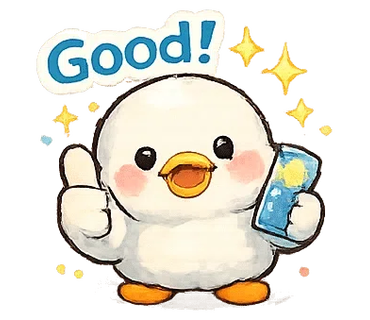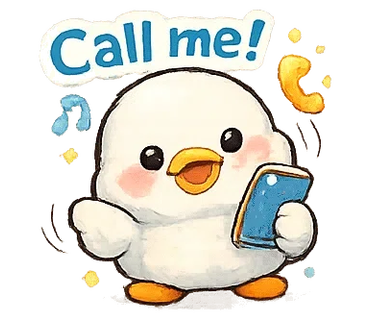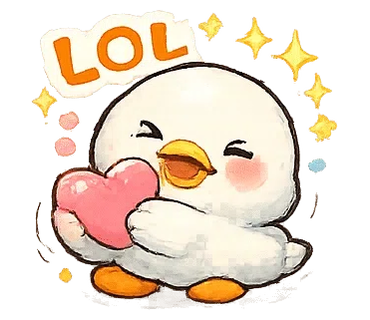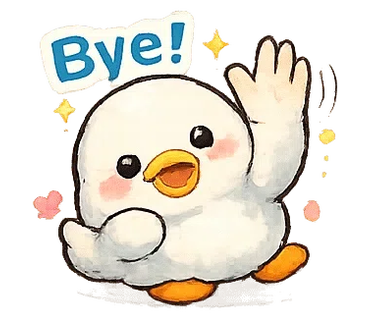
เครื่องมือตัดสติกเกอร์ LINE สุดเร็วของ IvyBOT จะวิเคราะห์ภาพ PNG โปร่งใสโดยอัตโนมัติเพื่อตรวจจับพื้นที่สติกเกอร์ที่เป็นไปได้ พร้อมสร้างไฟล์สำหรับ main/tab ไปพร้อมกัน สามารถปรับระยะขอบและค่าขีดแบ่งได้ในการตั้งค่าขั้นสูง เพื่อให้ได้ผลลัพธ์การตัดที่เหมาะสมที่สุดสำหรับรูปแบบสติกเกอร์ LINE นอกจากนี้ยังสามารถปรับพารามิเตอร์โดยละเอียดเพื่อเพิ่มความแม่นยำในการตรวจจับได้อีกด้วย
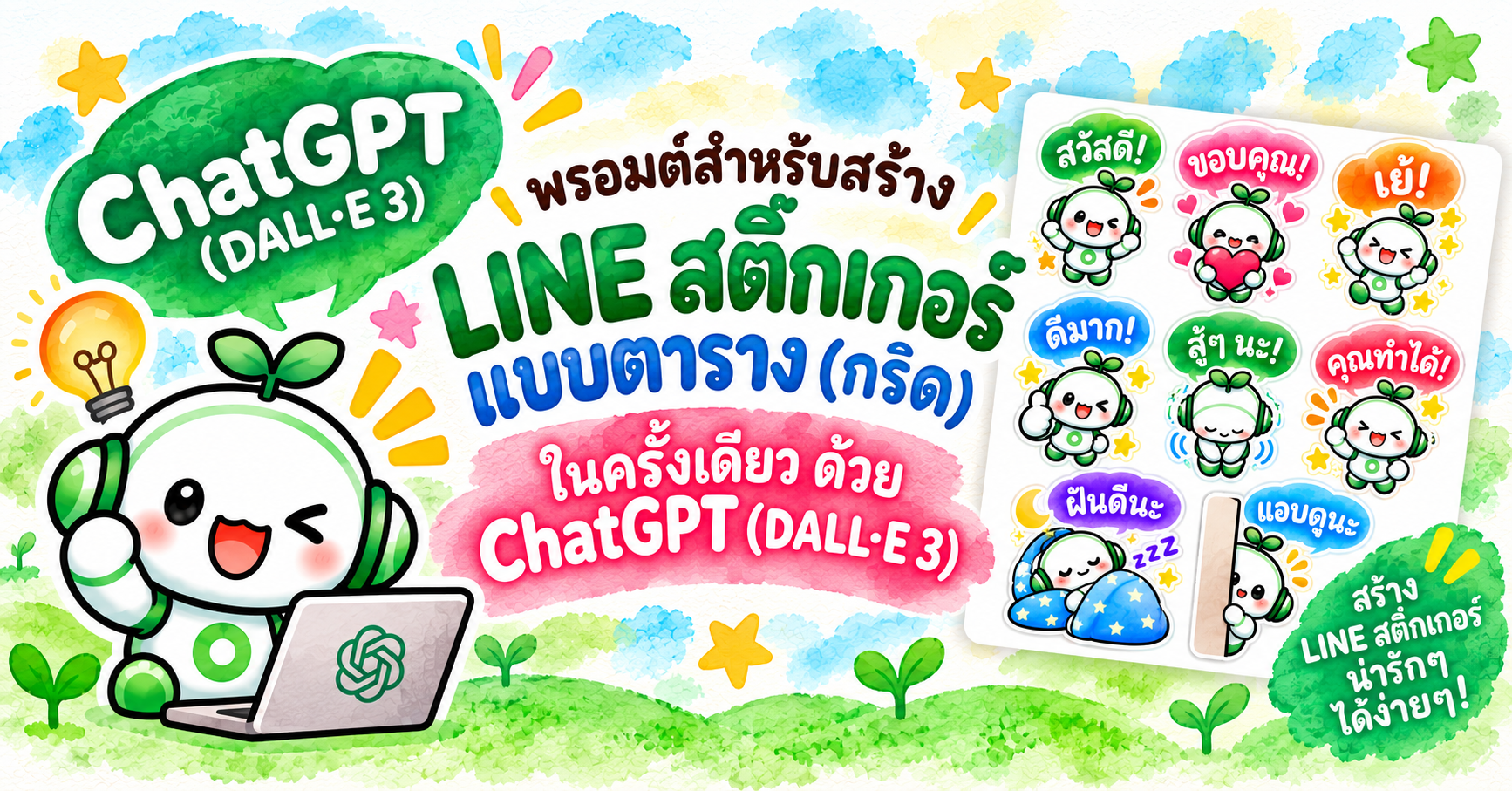
คุณสามารถสร้างแผ่นสติกเกอร์ LINE ได้อย่างง่ายดายโดยใช้ประโยชน์จาก ChatGPT

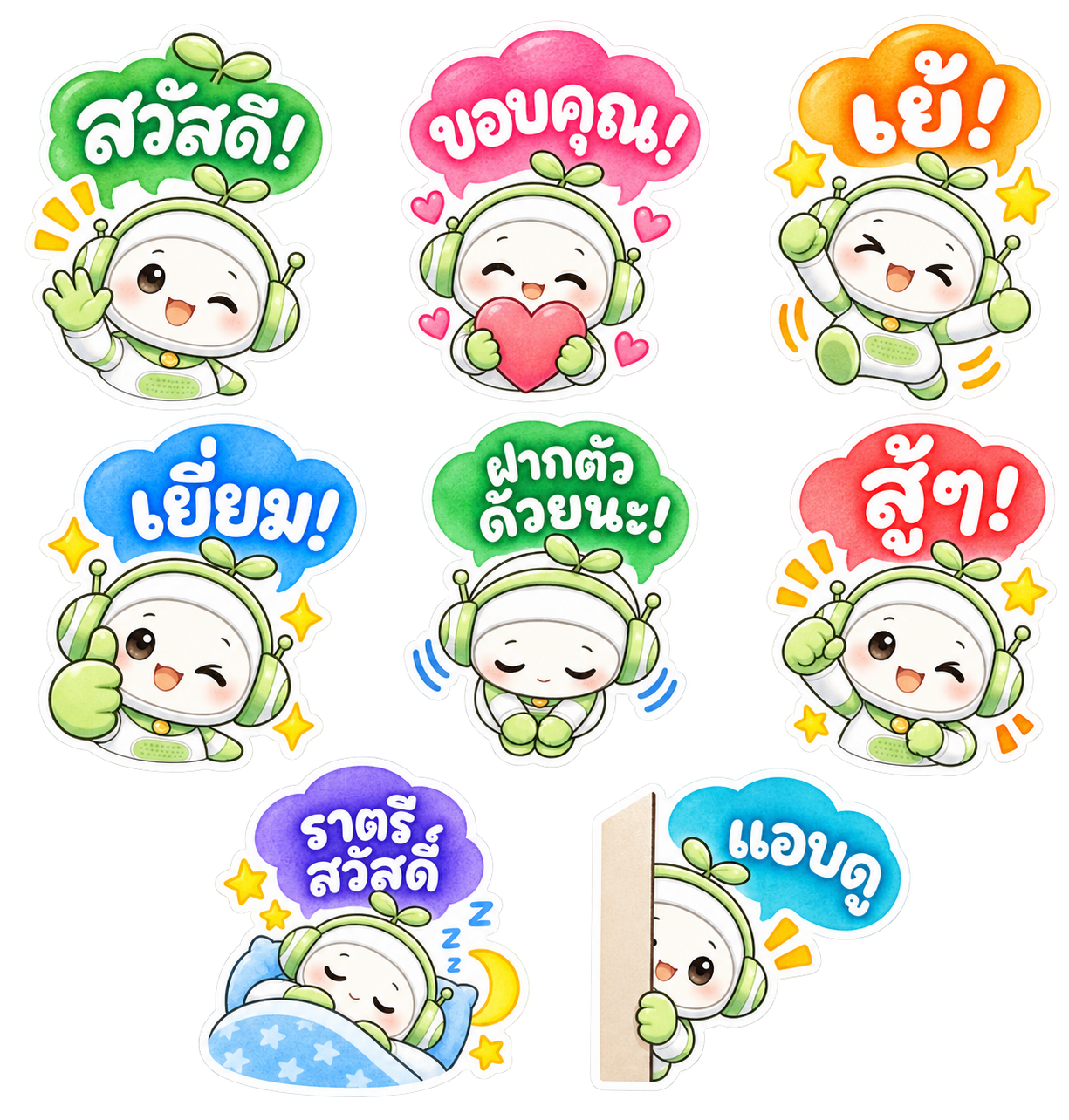
Please generate a sticker sheet containing exactly 8 separate LINE sticker images arranged in a clean grid layout, based on the provided reference character design.

## CHARACTER DESIGN

- Use the exact same character design from the provided reference image.
- Character: A friendly white-and-green kawaii robot with green headphones and a small green sprout on top of its head.
- Preserve the same face, body proportions, white-and-green color scheme, headphones, sprout, and overall character identity across ALL 8 stickers.
- Do not redesign or significantly alter the character.
- Each sticker must feature a clearly different pose and facial expression while maintaining consistent character design.
- Use rounded, adorable chibi proportions.

## ART STYLE

- Soft watercolor-style kawaii illustration.
- Warm, gentle, hand-painted watercolor texture.
- Cute Japanese/Thai stationery and LINE sticker aesthetic.
- Soft pastel colors with subtle watercolor variation and shading.
- Slightly textured watercolor fills.
- Clean but gently hand-drawn outlines rather than rigid digital vector lines.
- Bright, cheerful, warm, and highly expressive.
- Add small decorative elements where appropriate, such as sparkles, stars, hearts, motion marks, sweat drops, moons, sleep symbols, and excitement marks.
- Keep all decorative elements close to their corresponding character.

## COLORED SPEECH BUBBLES — IMPORTANT

Every sticker must contain ONE colorful speech bubble.

- Use large, cute, rounded, playful speech bubbles.
- Each speech bubble should have a bright watercolor-style colored fill.
- Use a variety of cheerful colors across the set, such as green, pink, orange, blue, red, purple, and turquoise.
- Speech bubbles may have slightly different organic shapes to complement each emotion.
- Keep all speech bubbles rounded, soft, friendly, and kawaii.
- Avoid plain rectangular text boxes.
- Avoid rigid or corporate-looking speech bubbles.
- The speech bubble should feel like an illustrated part of the sticker.

## THAI TEXT DESIGN — VERY IMPORTANT

Use ONLY Thai language (ภาษาไทย).

Place the specified Thai phrase inside each colored speech bubble.

ALL speech-bubble lettering must be:

- WHITE lettering.
- Large, bold, and highly legible.
- Cute, playful, professionally designed Thai display lettering.
- Rounded and hand-drawn in appearance.
- Preserve the distinctive shapes of Thai characters and all vowel marks and tone marks.
- The lettering should look intentionally illustrated and designed, not like ordinary typed text.
- Use thick, substantial Thai letterforms suitable for small LINE stickers.
- Maintain strong contrast between the WHITE lettering and the colored speech bubble.
- Keep every phrase comfortably inside its speech bubble with generous internal padding.
- For longer Thai phrases, use TWO LINES when necessary instead of making the lettering too small.
- Slightly enlarge the speech bubble when necessary.
- Make sure vowel signs and tone marks above or below Thai characters are never cropped, omitted, or separated from their base characters.
- Reproduce every Thai phrase EXACTLY as specified below.
- Do NOT substitute visually similar Thai characters.
- Do NOT add Japanese, Chinese, English, Spanish, transliteration, or translations.
- Do NOT use black text.
- Do NOT use thin typography.
- Do NOT use plain system fonts.
- Do NOT place text outside the speech bubble.

## WHITE STICKER BORDER — CRUCIAL

Every complete sticker must have a thick, clean WHITE outer sticker border.

The white border must surround the ENTIRE sticker composition, including:

- character
- speech bubble
- decorative elements
- hearts
- stars
- sparkles
- motion marks
- accessories

The character and speech bubble must visually form ONE complete sticker unit.

## GRID LAYOUT

Create EXACTLY 8 stickers.

Arrange them using:

- 2 to 3 columns
- 2 to 4 rows

Preferred layout:

Row 1: 3 stickers
Row 2: 3 stickers
Row 3: 2 stickers

Prefer a 3 + 3 + 2 arrangement.

Perfect vertical column alignment is not required.

Prioritize generous spacing, readability, and balanced composition.

## SPACING — EXTREMELY IMPORTANT

Every sticker must be completely isolated from every neighboring sticker.

Leave clear, continuous transparent space:

- between every sticker
- between every column
- between every row

No part of one sticker may touch another sticker.

This includes:

- white borders
- speech bubbles
- characters
- stars
- hearts
- sparkles
- motion marks
- shadows
- decorative effects

Leave AT LEAST 10 pixels of completely transparent padding on the TOP, BOTTOM, LEFT, and RIGHT sides of EACH complete sticker unit.

The 10-pixel transparent padding must be OUTSIDE the thick white sticker border.

Do not place tiny decorative elements in the transparent gaps between stickers.

## BACKGROUND

- Transparent PNG background.
- True alpha transparency.
- No white background.
- No colored background.
- No scenery.
- No background texture.
- No checkerboard pattern rendered into the image.
- All areas between stickers must remain completely transparent.

## 8 STICKERS AND EXACT THAI TEXT

### 1. "สวัสดี!"
- Cheerful greeting.
- Character waving happily.
- Bright, friendly smile.
- Green or complementary colored speech bubble containing EXACTLY:
"สวัสดี!"
- WHITE decorative Thai lettering.
- Add a few cheerful sparkles or motion marks.

### 2. "ขอบคุณ!"
- Character holding a large pink or red heart with both hands.
- Warm, grateful smile with rosy cheeks.
- Pink or complementary colored speech bubble containing EXACTLY:
"ขอบคุณ!"
- WHITE decorative Thai lettering.
- Add several small hearts.

### 3. "เย้!"
- Character jumping enthusiastically with both arms raised.
- Very happy and excited expression.
- Orange or yellow speech bubble containing EXACTLY:
"เย้!"
- WHITE decorative Thai lettering.
- Add stars, sparkles, and energetic motion marks.

### 4. "เยี่ยม!"
- Character giving a large thumbs-up.
- Cheerful smile or playful wink.
- Blue or complementary colored speech bubble containing EXACTLY:
"เยี่ยม!"
- WHITE decorative Thai lettering.
- Add several bright sparkles.

### 5. "ฝากตัวด้วยนะ!"
- Character making a polite bow.
- Gentle, friendly, and welcoming expression.
- Green or complementary colored speech bubble containing EXACTLY:
"ฝากตัวด้วยนะ!"
- WHITE decorative Thai lettering.
- Use a two-line arrangement if necessary.
- Keep all Thai characters, vowels, and tone marks large and clearly readable.

### 6. "สู้ๆ!"
- Character making an energetic fist-pump pose.
- Encouraging, enthusiastic, and adorable expression.
- Red, coral, or energetic colored speech bubble containing EXACTLY:
"สู้ๆ!"
- WHITE decorative Thai lettering.
- Add energetic action marks and small stars.

### 7. "ราตรีสวัสดิ์"
- Character sleeping peacefully.
- Eyes closed.
- Character may be curled up under a soft blue blanket with a pillow.
- Purple, navy-blue, or calm nighttime colored speech bubble containing EXACTLY:
"ราตรีสวัสดิ์"
- WHITE decorative Thai lettering.
- Use two lines if necessary.
- Add a crescent moon, small stars, and subtle Zzz symbols.
- Create a peaceful bedtime atmosphere.

### 8. "แอบดู"
- Character cutely peeking from behind a vertical wall, curtain, or panel.
- Only part of the character is visible.
- Curious, shy, and adorable expression.
- Blue or turquoise speech bubble containing EXACTLY:
"แอบดู"
- WHITE decorative Thai lettering.
- Add one or two subtle attention marks.

## AUTOMATIC STICKER CUTTING REQUIREMENT

This sticker sheet will later be processed by an automatic LINE sticker cutting tool.

Every sticker must therefore form ONE isolated visual group consisting of:

character + speech bubble + text + decorations + thick white outer border.

Different stickers must NEVER become connected to each other.

Maintain completely transparent separation between all 8 sticker groups.

Keep stars, hearts, sparkles, motion marks, and other decorations close to their corresponding character and inside that sticker's white outer border.

Maintain at least 10 pixels of completely transparent padding around every isolated sticker group.

## FINAL QUALITY REQUIREMENTS

The final image should look like a professionally illustrated Thai LINE sticker collection.

Visual keywords:

soft watercolor
kawaii
Thai LINE sticker aesthetic
hand-painted
chibi
pastel
colorful
cute Thai hand lettering
white knockout typography
colorful speech bubbles
thick white sticker borders
expressive poses
clean transparent background

MOST IMPORTANT:

1. EXACTLY 8 stickers.
2. SAME character design throughout.
3. EXACT Thai phrases as specified.
4. THAI TEXT ONLY.
5. Preserve ALL Thai vowels, tone marks, and character combinations exactly.
6. COLORFUL speech bubbles.
7. WHITE decorative lettering inside every speech bubble.
8. Thick WHITE outer border around EVERY complete sticker.
9. NO sticker may touch or overlap another sticker.
10. At least 10 pixels of transparent padding on ALL FOUR SIDES of EACH sticker.
11. 2 to 3 columns and 2 to 4 rows.
12. Prefer a 3 + 3 + 2 layout.
13. TRUE TRANSPARENT PNG BACKGROUND.
14. No checkerboard pattern, white canvas, or colored background.
15. Keep every sticker fully inside the canvas.
16. Do not crop any character, speech bubble, Thai lettering, vowel mark, tone mark, white border, or decorative element.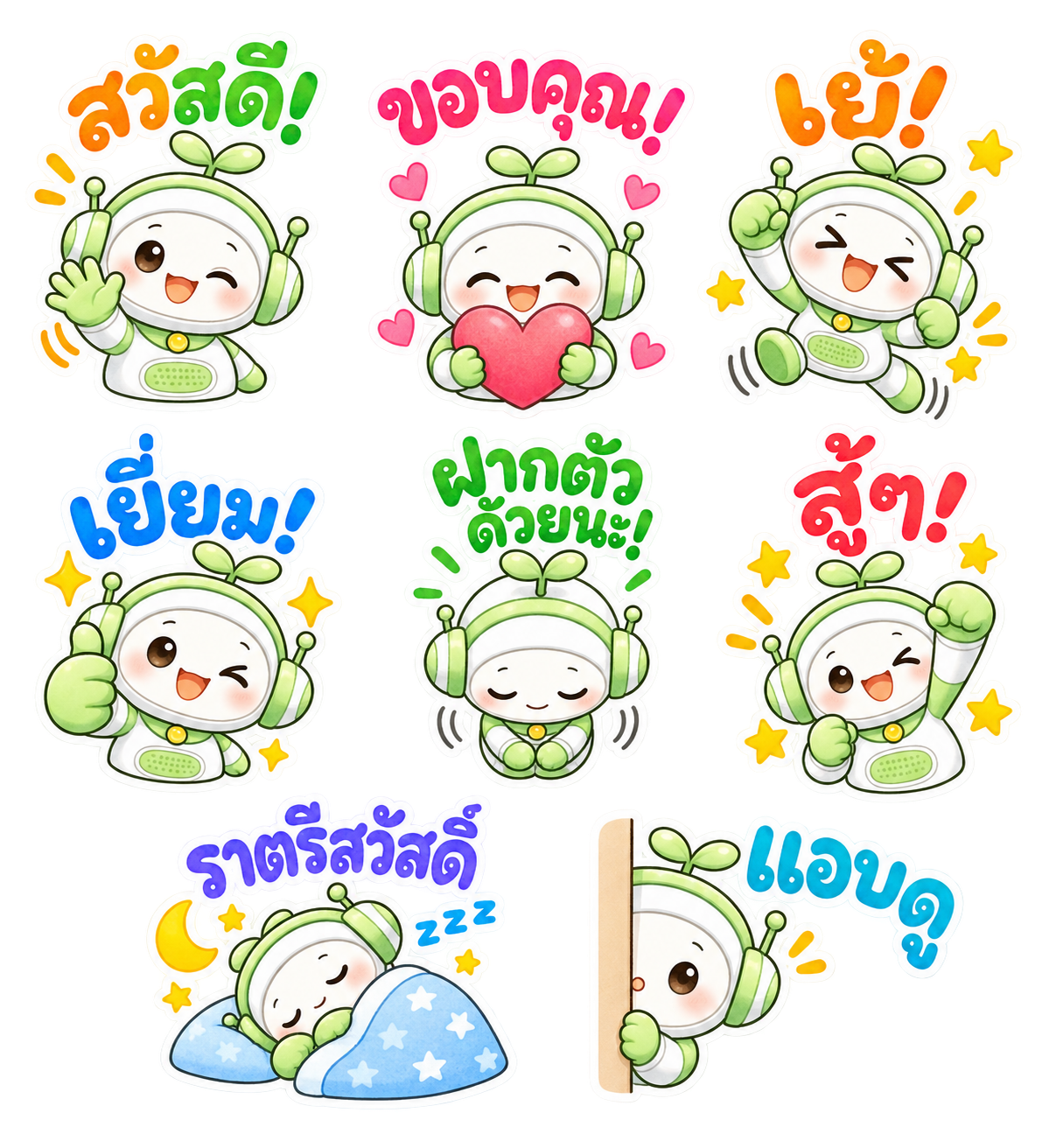
Please generate a sticker sheet containing exactly 8 separate LINE sticker images arranged in a clean grid layout, based on the provided reference character design.

## CHARACTER DESIGN

- Use the exact same character design from the provided reference image.
- Character: A friendly white-and-green kawaii robot with green headphones and a small green sprout on top of its head.
- Preserve the same face, body proportions, white-and-green color scheme, headphones, sprout, and overall character identity across ALL 8 stickers.
- Do not redesign or significantly alter the character.
- Keep the character recognizable and consistent throughout the entire sticker set.
- Each sticker must feature a clearly different pose and facial expression.
- Use rounded, adorable chibi proportions.

## ART STYLE

- Soft watercolor-style kawaii illustration.
- Warm, gentle, hand-painted watercolor texture.
- Cute Japanese/Thai stationery and LINE sticker aesthetic.
- Soft pastel colors with subtle watercolor variation and shading.
- Slightly textured watercolor fills.
- Clean but gently hand-drawn outlines rather than rigid digital vector lines.
- Bright, cheerful, warm, friendly, and highly expressive.
- Add small decorative elements where appropriate, such as:
  - sparkles
  - stars
  - hearts
  - motion marks
  - sweat drops
  - moons
  - sleep symbols
  - excitement marks
- Keep all decorative elements close to their corresponding character and text.

## NO SPEECH BUBBLES — EXTREMELY IMPORTANT

DO NOT use speech bubbles of any kind.

- NO speech bubbles.
- NO dialogue balloons.
- NO thought bubbles.
- NO colored bubble behind the text.
- NO text boxes.
- NO rectangular labels.
- NO banners behind the text.
- NO panels behind the text.
- NO solid colored background shapes behind the lettering.

The Thai phrase itself must appear directly above or beside the character as large, colorful decorative lettering.

The lettering should be an illustrated part of the sticker composition, similar to professionally designed Thai LINE stickers.

## THAI TEXT DESIGN — VERY IMPORTANT

Use ONLY Thai language (ภาษาไทย).

Reproduce every Thai phrase EXACTLY as specified below.

- Preserve all Thai characters exactly.
- Preserve every vowel sign.
- Preserve every tone mark.
- Preserve every character combination.
- Never omit, crop, move, or separate vowel signs or tone marks from their base characters.
- Do NOT substitute visually similar Thai characters.
- Do NOT add Japanese, Chinese, English, Spanish, transliteration, or translations.
- The only exception is decorative "Zzz" in the sleeping sticker.
- Do NOT add subtitles.
- Do NOT add any extra words.

## COLORFUL THAI LETTERING WITH THICK WHITE OUTLINE — CRUCIAL

The Thai text must NOT be white text inside a colored speech bubble.

Instead:

THE THAI LETTERS THEMSELVES MUST BE COLORFUL.

Each Thai phrase must be rendered as:

COLORFUL THAI LETTERING
+ THICK WHITE OUTLINE AROUND EVERY LETTER AND MARK

Use:

- Large, bold, colorful Thai lettering.
- Bright watercolor-style colored fills.
- Thick, clean WHITE outlines around every Thai character.
- Thick white outlines around all Thai vowel signs and tone marks as well.
- Rounded, cute, playful display lettering.
- Bold, substantial letterforms.
- Soft hand-drawn appearance.
- Slight watercolor texture inside the colored lettering.
- High readability even at small LINE sticker sizes.
- Professionally illustrated Thai display lettering.

Use cheerful colors such as:

- orange
- pink
- red
- green
- blue
- turquoise
- purple
- coral
- yellow-orange

Different phrases may use different colors based on their emotion.

A phrase may use one main color or a playful combination of two complementary colors.

Slight variations in letter size, angle, rotation, and baseline are encouraged, as long as the Thai text remains fully readable.

The lettering may gently curve or arch above the character.

IMPORTANT:

The color must be INSIDE the Thai letterforms.

The THICK WHITE OUTLINE must be OUTSIDE the Thai letterforms.

Do NOT place any colored bubble, cloud, box, banner, panel, or background shape behind the Thai text.

## THAI MARKS — EXTREMELY IMPORTANT

Thai vowel signs and tone marks must remain visually attached to the correct base characters.

Make sure all marks:

- remain fully visible
- remain large enough to read
- are never cropped
- are never omitted
- are never detached
- receive the same thick white outline as the main Thai letters

Do not simplify or stylize the lettering so heavily that the Thai text becomes incorrect or unreadable.

## TEXT AND CHARACTER PLACEMENT

Place the colorful Thai text prominently above or beside each character.

The text must be:

- close enough to the character to visually form ONE sticker unit
- large and clearly readable
- not overlapping the character's face
- not cropped
- not touching neighboring stickers
- balanced with the character composition

The text, character, and decorative elements must visually form ONE unified sticker composition.

## WHITE STICKER BORDER — CRUCIAL

Every complete sticker must have a thick, clean WHITE outer sticker border.

The white border must visually surround and unify:

- character
- colorful Thai lettering
- all Thai vowel signs and tone marks
- hearts
- stars
- sparkles
- motion marks
- accessories
- decorative elements

The Thai lettering itself must also have its own thick white outline.

The complete sticker should look like a professionally die-cut LINE sticker.

## GRID LAYOUT

Create EXACTLY 8 stickers.

Use this arrangement:

Row 1: 3 stickers
Row 2: 3 stickers
Row 3: 2 stickers

Use a 3 + 3 + 2 layout whenever possible.

The final row containing 2 stickers may be centered for visual balance.

Perfect vertical alignment is not required.

Prioritize:

- generous spacing
- readability
- balanced composition
- clean separation
- easy automatic cutting

## SPACING — EXTREMELY IMPORTANT

Every sticker must be completely isolated from every neighboring sticker.

Leave clear, continuous transparent space:

- between every sticker
- between every column
- between every row

NO part of one sticker may touch another sticker.

This includes:

- character
- Thai lettering
- Thai vowel marks
- Thai tone marks
- white text outlines
- outer white borders
- stars
- hearts
- sparkles
- motion marks
- shadows
- decorative effects

Leave AT LEAST 10 pixels of completely transparent padding on the TOP, BOTTOM, LEFT, and RIGHT sides of EACH complete sticker unit.

The transparent padding must be OUTSIDE the thick white sticker border.

Do not place isolated decorative elements in the transparent gaps between stickers.

## BACKGROUND

- Transparent PNG background.
- TRUE alpha transparency.
- No white background.
- No black background.
- No colored background.
- No scenery.
- No background texture.
- No checkerboard pattern rendered into the image.
- All areas between stickers must remain completely transparent.

## 8 STICKERS AND EXACT THAI TEXT

### 1. "สวัสดี!"

- Cheerful greeting.
- Character waving happily.
- Bright, friendly smile.
- Place EXACTLY:
"สวัสดี!"
above the character.
- Use bright ORANGE and/or GREEN lettering.
- Give every Thai character, vowel mark, and tone mark a thick WHITE outline.
- Add a few cheerful sparkles or orange motion marks.

### 2. "ขอบคุณ!"

- Character holding a large pink or red heart with both hands.
- Warm, grateful smile with rosy cheeks.
- Place EXACTLY:
"ขอบคุณ!"
above the character.
- Use bright PINK or RED-PINK lettering.
- Give every Thai character and mark a thick WHITE outline.
- Add several small pink hearts.

### 3. "เย้!"

- Character jumping enthusiastically with both arms raised.
- Very happy and excited expression.
- Place EXACTLY:
"เย้!"
above the character.
- Use bright ORANGE or YELLOW-ORANGE lettering.
- Give every Thai character and mark a thick WHITE outline.
- Add stars, sparkles, and energetic motion marks.

### 4. "เยี่ยม!"

- Character giving a large thumbs-up.
- Cheerful smile or playful wink.
- Place EXACTLY:
"เยี่ยม!"
above the character.
- Use bright BLUE lettering.
- Give every Thai character, vowel sign, and tone mark a thick WHITE outline.
- Add several yellow sparkles.

### 5. "ฝากตัวด้วยนะ!"

- Character making a polite bow.
- Gentle, friendly, and welcoming expression.
- Hands together in front.
- Place EXACTLY:
"ฝากตัวด้วยนะ!"
above the character.
- Use bright GREEN lettering.
- Give every Thai character, vowel sign, and tone mark a thick WHITE outline.
- Use TWO LINES if necessary.
- Do not make the Thai text too small.
- Keep all marks fully visible and readable.

### 6. "สู้ๆ!"

- Character making an energetic fist-pump pose.
- Encouraging, enthusiastic, and adorable expression.
- Place EXACTLY:
"สู้ๆ!"
above the character.
- Use bright RED or CORAL-RED lettering.
- Give every Thai character and mark a thick WHITE outline.
- Add energetic action marks and small yellow stars.

### 7. "ราตรีสวัสดิ์"

- Character sleeping peacefully.
- Eyes closed.
- Character curled up under a soft blue blanket with a pillow.
- Place EXACTLY:
"ราตรีสวัสดิ์"
above the sleeping character.
- Use BLUE, INDIGO, or PURPLE-BLUE lettering.
- Give every Thai character, vowel sign, and tone mark a thick WHITE outline.
- Use TWO LINES if necessary.
- Add:
  - a crescent moon
  - small yellow stars
  - subtle blue "Zzz" symbols
- Create a peaceful and adorable nighttime atmosphere.

### 8. "แอบดู"

- Character cutely peeking from behind a vertical wall, curtain, door, or panel.
- Only part of the character is visible.
- Curious, shy, and adorable expression.
- Place EXACTLY:
"แอบดู"
above or beside the character.
- Use bright TURQUOISE or CYAN-BLUE lettering.
- Give every Thai character and vowel sign a thick WHITE outline.
- Add one or two small orange attention marks.

## AUTOMATIC STICKER CUTTING REQUIREMENT — EXTREMELY IMPORTANT

This sticker sheet will later be processed by an automatic LINE sticker cutting tool.

Every sticker must therefore form ONE isolated visual group consisting of:

COLORFUL THAI TEXT
+ THICK WHITE TEXT OUTLINE
+ CHARACTER
+ DECORATIVE ELEMENTS
+ THICK WHITE OUTER STICKER BORDER

The Thai text must be positioned close to its corresponding character so the text and character are recognized as ONE sticker composition.

Different stickers must NEVER become visually connected to each other.

Maintain completely transparent separation between all 8 sticker groups.

Keep hearts, stars, sparkles, motion marks, moons, and other decorative elements close to their corresponding character and text.

Do not scatter tiny decorative elements into the transparent gaps.

Maintain at least 10 pixels of completely transparent padding around every isolated sticker group.

## FINAL QUALITY REQUIREMENTS

The final image should look like a professionally illustrated Thai LINE sticker collection.

Visual keywords:

soft watercolor
kawaii
Thai LINE sticker aesthetic
Japanese stationery aesthetic
hand-painted
chibi
pastel
bright cheerful colors
cute Thai hand lettering
colorful Thai characters
thick white lettering outlines
NO speech bubbles
NO colored shapes behind text
die-cut sticker appearance
thick white sticker borders
expressive poses
clean transparent background

## MOST IMPORTANT

1. EXACTLY 8 stickers.
2. SAME character design throughout.
3. EXACT Thai phrases as specified.
4. THAI TEXT ONLY, except decorative "Zzz" for the sleeping sticker.
5. Preserve ALL Thai vowels, tone marks, and character combinations exactly.
6. ABSOLUTELY NO SPEECH BUBBLES.
7. NO colored text boxes, clouds, banners, or shapes behind the text.
8. The THAI LETTERS THEMSELVES must be COLORFUL.
9. Every Thai letter, vowel sign, and tone mark must have a THICK WHITE OUTLINE.
10. Text should appear directly above or beside the character.
11. Character + text + decorations must form ONE isolated sticker unit.
12. Thick WHITE outer sticker border around EVERY complete sticker.
13. NO sticker may touch or overlap another sticker.
14. At least 10 pixels of transparent padding on ALL FOUR SIDES of EACH sticker.
15. Use a 3 + 3 + 2 layout.
16. TRUE TRANSPARENT PNG BACKGROUND.
17. No checkerboard pattern, white canvas, black canvas, or colored background.
18. Keep every sticker fully inside the canvas.
19. Do not crop any character, Thai letter, vowel mark, tone mark, white outline, or decorative element.
20. Keep all decorative elements close to their corresponding sticker.นำ Prompt ตัวอย่างนี้ไปวางใน ChatGPT จากนั้นระบุความต้องการของคุณ เช่น รูปแบบกรอบคำพูด เลย์เอาต์ของสติกเกอร์ และข้อความที่ต้องการใส่ในสติกเกอร์ แล้วขอให้ ChatGPT สร้าง Prompt ภาษาอังกฤษสำหรับการสร้างภาพ ตามเงื่อนไขเหล่านั้น
ChatGPT จะช่วยจัดระเบียบคำสั่งของคุณให้เป็น Prompt ภาษาอังกฤษที่ชัดเจนและเข้าใจง่ายสำหรับ AI สร้างภาพ
เมื่อได้ Prompt แล้ว เพียงแนบ Prompt นั้นพร้อมกับ ภาพตัวละครต้นแบบ และขอให้ ChatGPT สร้างแผ่นสติกเกอร์ LINE
นอกจากนี้ คุณยังสามารถลองสร้างตัวละครต้นแบบของคุณเองด้วย ChatGPT ได้อีกด้วย!
สร้างสติกเกอร์ LINE ที่น่ารักและไม่เหมือนใครจากตัวละครที่คุณชื่นชอบได้เลย!
.png?w=500&h=250)
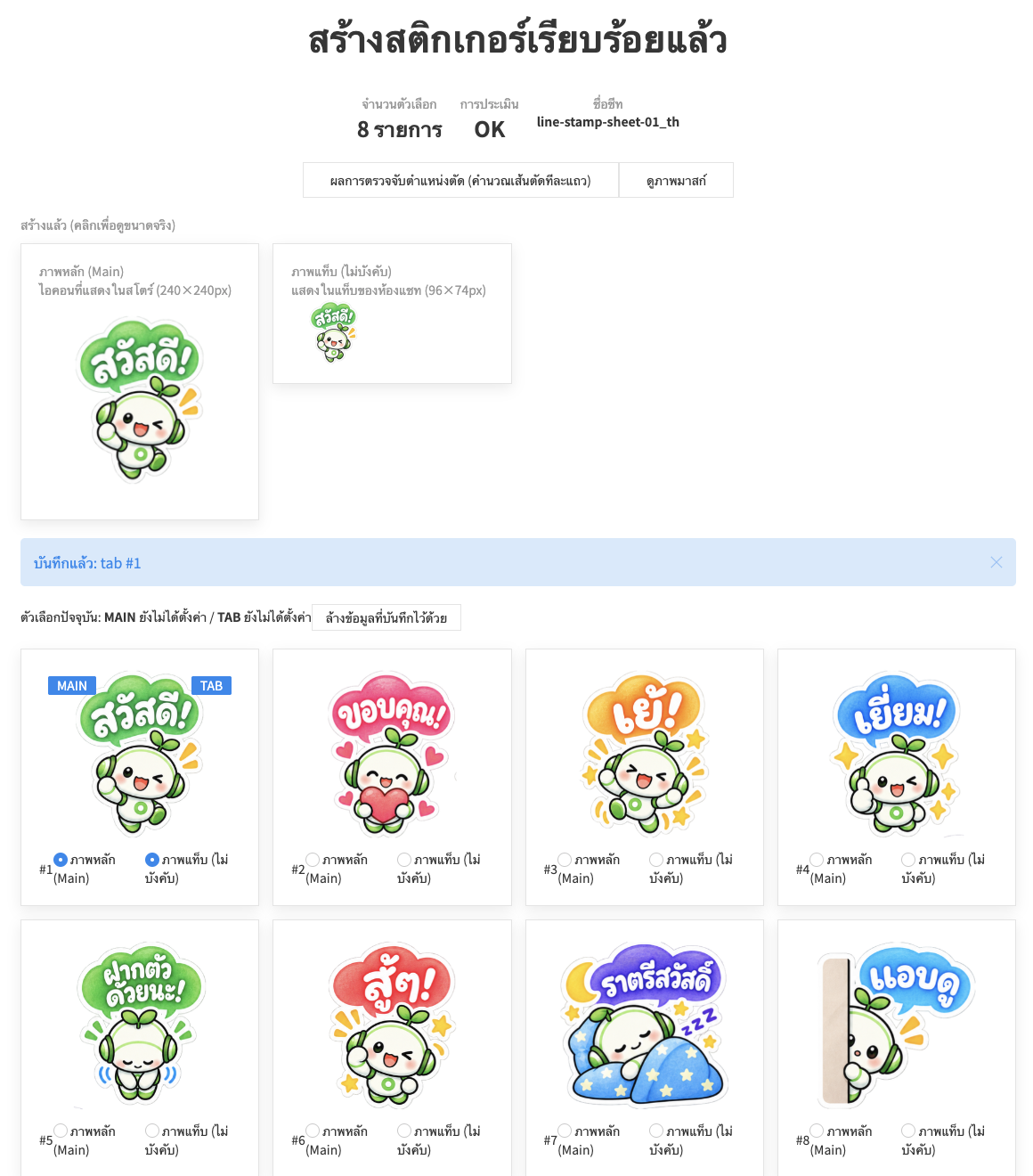
หากสติกเกอร์ติดกัน หรือถูกตัดละเอียดเกินความจำเป็น หรือผลลัพธ์ไม่เป็นไปตามที่คาดไว้ กรุณาลองปรับรายการตั้งค่าพารามิเตอร์โดยละเอียดที่ด้านบนของหน้า หรือติดต่อเราทาง X@ivyjpเพื่อสอบถามเพิ่มเติม
เมื่อสร้างและส่งสติกเกอร์ LINE แต่ละประเภทของภาพจะมีขนาดและรูปแบบที่แนะนำอย่างละเอียด การใช้เครื่องมือนี้ เพียงอัปโหลดก็สามารถตัดและปรับขนาดให้เหมาะสมที่สุดได้ในครั้งเดียว
ภาพแท็บห้องแชท (1 ภาพ)
ภาพหลัก (1 ภาพ)
ภาพสติกเกอร์ (8 / 16 / 24 / 32 / 40 ภาพ)
แนวทางทั่วไปในการสร้าง


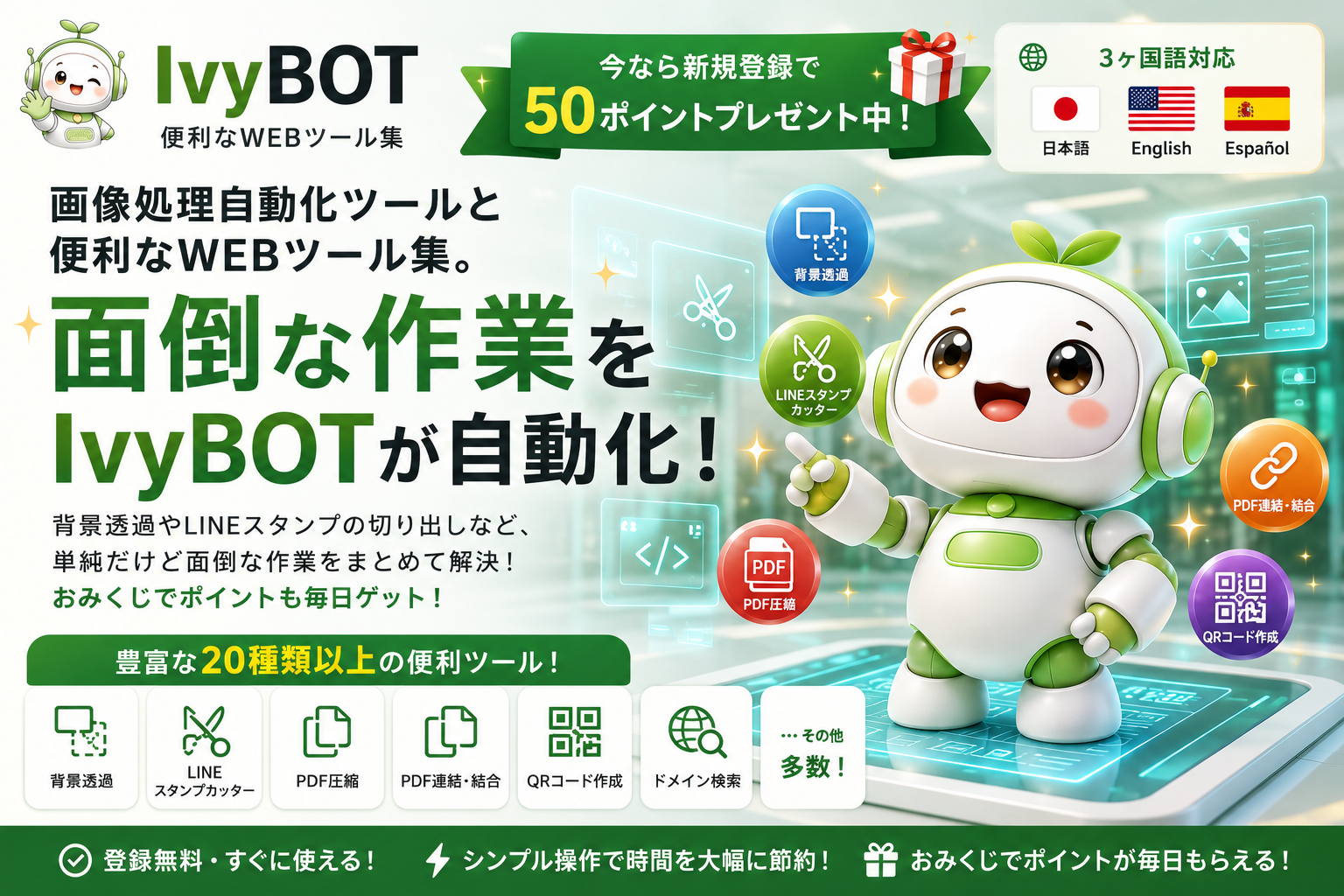
 ภาพ・โซเชียล
 เครื่องมือตัดสติกเกอร์ LINE
 ลบพื้นหลัง BG Remover
 สร้าง Favicon
 ตรวจสอบตัวอย่าง OGP
 ปรับขนาด/แปลงรูปแบบรูปภาพ
 เครื่องมือดูดสีจากรูปภาพ
 ครอบตัด/หมุนรูปภาพ
PDF・เอกสาร
ครอบตัด/หมุนรูปภาพ
PDF・เอกสาร
 บีบอัด PDF
 รวมไฟล์ PDF
 นับจำนวนตัวอักษร
 เว็บ・พัฒนา
 สร้าง QR Code
 ค้นหาโดเมน
 ตัวแก้ไข UIkit
 สร้างไฟล์ .htaccess
 แสดง IP ที่เชื่อมต่อ
 แปลง HTML Entity (Escape)
 เข้ารหัส/ถอดรหัส URL
 ทดสอบความเร็วอินเทอร์เน็ต
ค้นหา・ชีวิตประจำวัน
ทดสอบความเร็วอินเทอร์เน็ต
ค้นหา・ชีวิตประจำวัน
 ค้นหารหัสไปรษณีย์
 ค้นหาหมายเลขโทรศัพท์
 แปลงหน่วย
 ตารางอายุ
 ทดสอบอายุหู
สะดวก・อื่นๆ
ทดสอบอายุหู
สะดวก・อื่นๆ
 เสี่ยงเซียมซี
 สร้างรหัสผ่าน
 แปลงอักขระอ้างอิงตัวเลข