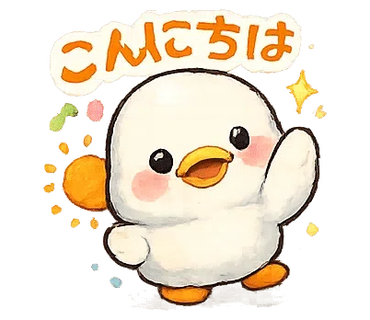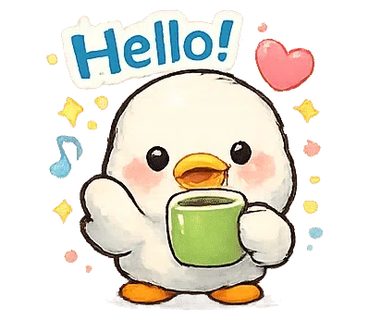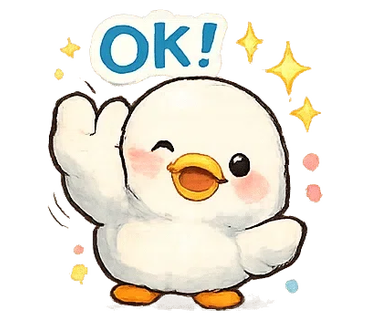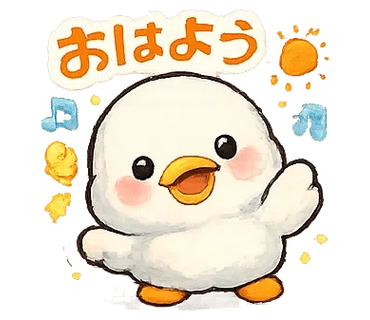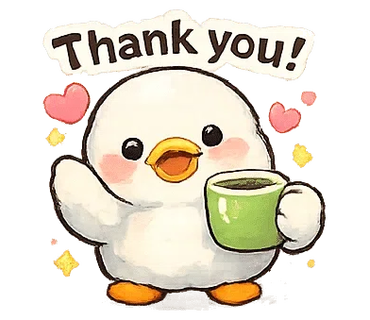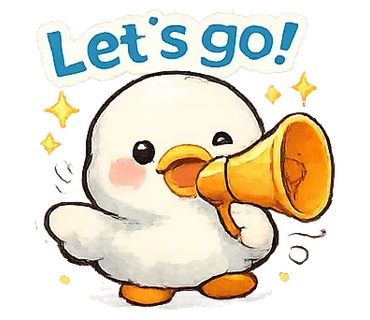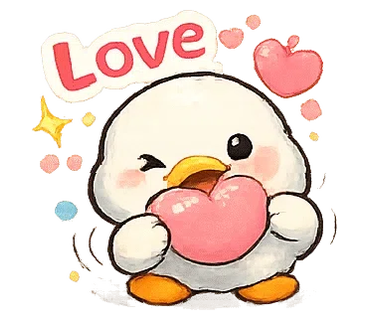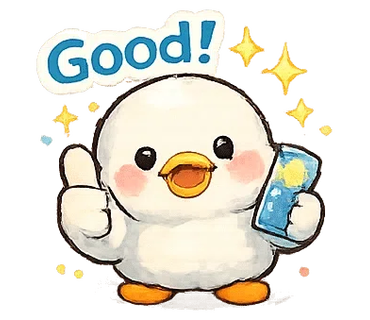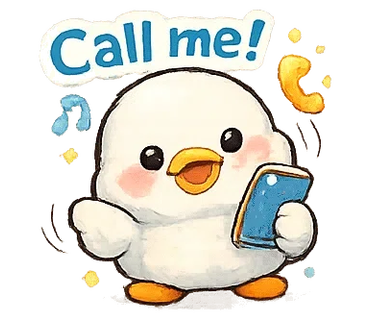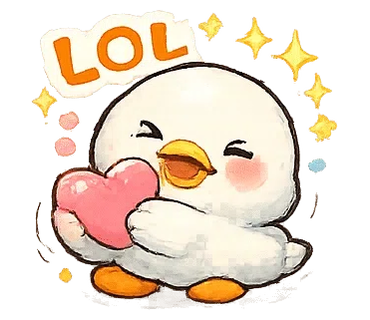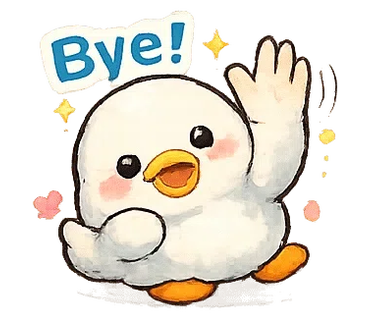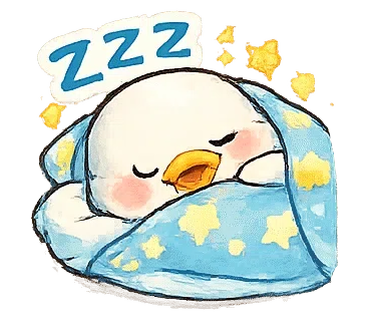
IvyBOT 的爆速!LINE貼圖切割器會自動解析透明PNG圖片,偵測貼圖候選區域,並同時生成 main/tab 用的輸出檔案。透過詳細設定調整留白與閾值,即可獲得最適合 LINE 貼圖格式的切割結果。透過詳細參數設定,還能提升偵測精準度。
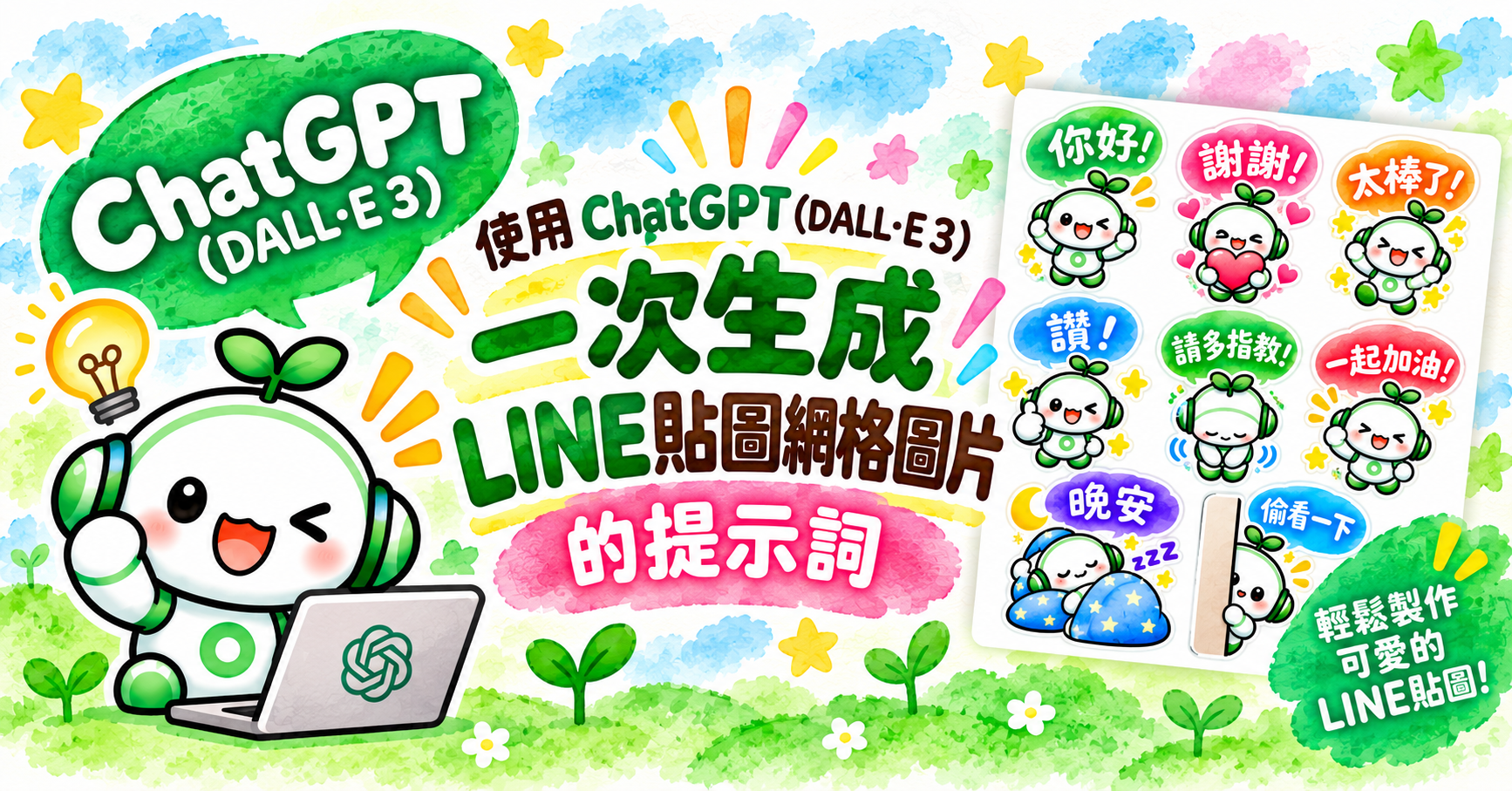
善用 ChatGPT 就能輕鬆生成 LINE 貼圖圖紙。

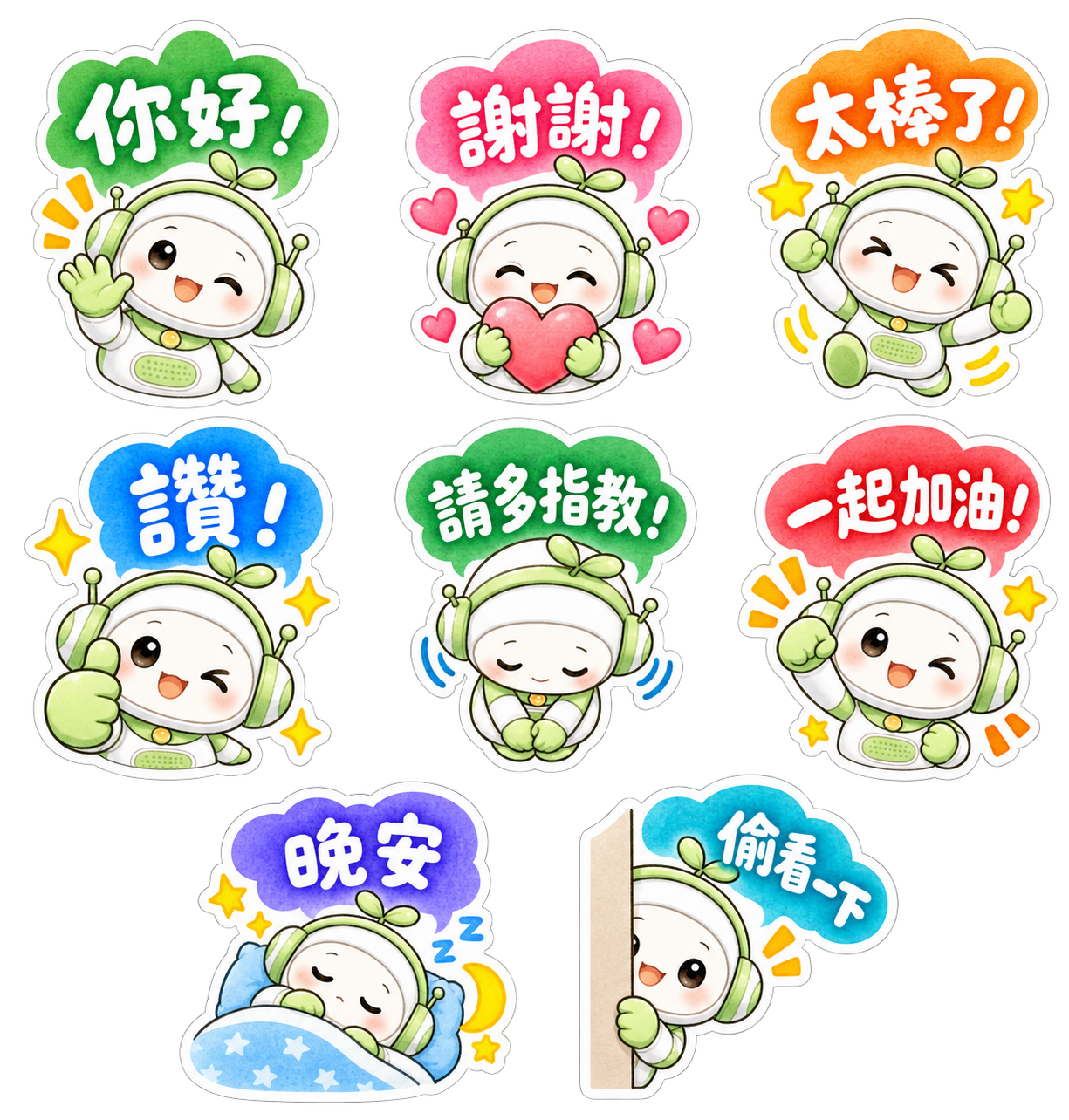
Please generate a sticker sheet containing exactly 8 separate LINE sticker images arranged in a clean grid layout, based on the provided reference character design.

## CHARACTER DESIGN

- Use the exact same character design from the provided reference image.
- Character: A friendly white-and-green kawaii robot with green headphones and a small green sprout on top of its head.
- Preserve the same face, body proportions, white-and-green color scheme, headphones, sprout, and overall character identity across ALL 8 stickers.
- Do not redesign or significantly alter the character.
- Each sticker must feature a clearly different pose and facial expression while maintaining consistent character design.
- Use rounded, adorable chibi proportions.

## ART STYLE

- Soft watercolor-style kawaii illustration.
- Warm, gentle, hand-painted watercolor texture.
- Cute Japanese/Taiwanese stationery and LINE sticker aesthetic.
- Soft pastel colors with subtle watercolor variation and shading.
- Slightly textured watercolor fills.
- Clean but gently hand-drawn outlines rather than rigid digital vector lines.
- Bright, cheerful, warm, and highly expressive.
- Add small decorative elements where appropriate, such as sparkles, stars, hearts, motion marks, sweat drops, moons, sleep symbols, and excitement marks.
- Keep all decorative elements close to their corresponding character.

## COLORED SPEECH BUBBLES — IMPORTANT

Every sticker must contain ONE colorful speech bubble.

- Use large, cute, rounded, playful speech bubbles.
- Each speech bubble should have a bright watercolor-style colored fill.
- Use a variety of cheerful colors across the set, such as green, pink, orange, blue, red, purple, and turquoise.
- Speech bubbles may have slightly different organic shapes to complement each emotion.
- Keep all speech bubbles rounded, soft, friendly, and kawaii.
- Avoid plain rectangular text boxes.
- Avoid rigid or corporate-looking speech bubbles.
- The speech bubble should feel like an illustrated part of the sticker.

## TRADITIONAL CHINESE TEXT DESIGN — VERY IMPORTANT

Use ONLY Traditional Chinese (繁體中文, Taiwan / zh-TW).

Place the specified Traditional Chinese phrase inside each colored speech bubble.

ALL speech-bubble lettering must be:

- WHITE lettering.
- Large, bold, and highly legible.
- Cute, playful, professionally designed Traditional Chinese display lettering.
- Rounded and hand-drawn in appearance.
- The lettering should look intentionally illustrated and designed, not like ordinary typed text.
- Use thick, substantial Chinese characters suitable for small LINE stickers.
- Slight variations in character size, angle, and baseline are encouraged.
- Maintain strong contrast between the WHITE lettering and the colored speech bubble.
- Keep every phrase comfortably inside its speech bubble with generous internal padding.
- For longer phrases, use TWO LINES when necessary instead of making the characters too small.
- Slightly enlarge the speech bubble when necessary.
- Do NOT use Simplified Chinese.
- Do NOT convert Traditional Chinese characters into Simplified Chinese.
- Do NOT use Japanese kanji variants.
- Do NOT add Japanese, English, Spanish, pinyin, or translations.
- Do NOT use black text.
- Do NOT use thin typography.
- Do NOT use plain system fonts.
- Spell every Traditional Chinese phrase EXACTLY as specified below.

## WHITE STICKER BORDER — CRUCIAL

Every complete sticker must have a thick, clean WHITE outer sticker border.

The white border must surround the ENTIRE sticker composition, including:

- character
- speech bubble
- decorative elements
- hearts
- stars
- sparkles
- motion marks
- accessories

The character and speech bubble must visually form ONE complete sticker unit.

## GRID LAYOUT

Create EXACTLY 8 stickers.

Arrange them using:

- 2 to 3 columns
- 2 to 4 rows

Preferred layout:

Row 1: 3 stickers
Row 2: 3 stickers
Row 3: 2 stickers

Prefer a 3 + 3 + 2 arrangement.

Perfect vertical column alignment is not required.

Prioritize generous spacing, readability, and balanced composition.

## SPACING — EXTREMELY IMPORTANT

Every sticker must be completely isolated from every neighboring sticker.

Leave clear, continuous transparent space:

- between every sticker
- between every column
- between every row

No part of one sticker may touch another sticker.

This includes:

- white borders
- speech bubbles
- characters
- stars
- hearts
- sparkles
- motion marks
- shadows
- decorative effects

Leave AT LEAST 10 pixels of completely transparent padding on the TOP, BOTTOM, LEFT, and RIGHT sides of EACH complete sticker unit.

The 10-pixel transparent padding must be OUTSIDE the thick white sticker border.

Do not place tiny decorative elements in the transparent gaps between stickers.

## BACKGROUND

- Transparent PNG background.
- True alpha transparency.
- No white background.
- No colored background.
- No scenery.
- No background texture.
- No checkerboard pattern rendered into the image.
- All areas between stickers must remain completely transparent.

## 8 STICKERS AND EXACT zh-TW TEXT

### 1. 「你好!」
- Cheerful greeting.
- Character waving happily.
- Bright, friendly smile.
- Green or complementary colored speech bubble containing EXACTLY:
「你好!」
- WHITE decorative Traditional Chinese lettering.
- Add a few cheerful sparkles or motion marks.

### 2. 「謝謝!」
- Character holding a large pink or red heart with both hands.
- Warm, grateful smile with rosy cheeks.
- Pink or complementary colored speech bubble containing EXACTLY:
「謝謝!」
- WHITE decorative Traditional Chinese lettering.
- Add several small hearts.

### 3. 「太棒了!」
- Character jumping enthusiastically with both arms raised.
- Very happy and excited expression.
- Orange or yellow speech bubble containing EXACTLY:
「太棒了!」
- WHITE decorative Traditional Chinese lettering.
- Add stars, sparkles, and energetic motion marks.

### 4. 「讚!」
- Character giving a large thumbs-up.
- Cheerful smile or playful wink.
- Blue or complementary colored speech bubble containing EXACTLY:
「讚!」
- WHITE decorative Traditional Chinese lettering.
- Add several bright sparkles.

### 5. 「請多指教!」
- Character making a polite bow.
- Gentle, friendly, and welcoming expression.
- Green or complementary colored speech bubble containing EXACTLY:
「請多指教!」
- WHITE decorative Traditional Chinese lettering.
- Two-line arrangement is acceptable if needed.

### 6. 「一起加油!」
- Character making an energetic fist-pump pose.
- Encouraging, enthusiastic, and adorable expression.
- Red, coral, or energetic colored speech bubble containing EXACTLY:
「一起加油!」
- WHITE decorative Traditional Chinese lettering.
- Add energetic action marks and small stars.

### 7. 「晚安」
- Character sleeping peacefully.
- Eyes closed.
- Character may be curled up under a soft blue blanket with a pillow.
- Purple, navy-blue, or calm nighttime colored speech bubble containing EXACTLY:
「晚安」
- WHITE decorative Traditional Chinese lettering.
- Add a crescent moon, small stars, and subtle Zzz symbols.
- Create a peaceful bedtime atmosphere.

### 8. 「偷看一下」
- Character cutely peeking from behind a vertical wall, curtain, or panel.
- Only part of the character is visible.
- Curious, shy, and adorable expression.
- Blue or turquoise speech bubble containing EXACTLY:
「偷看一下」
- WHITE decorative Traditional Chinese lettering.
- Add one or two subtle attention marks.

## AUTOMATIC STICKER CUTTING REQUIREMENT

This sticker sheet will later be processed by an automatic LINE sticker cutting tool.

Every sticker must therefore form ONE isolated visual group consisting of:

character + speech bubble + text + decorations + thick white outer border.

Different stickers must NEVER become connected to each other.

Maintain completely transparent separation between all 8 sticker groups.

Keep stars, hearts, sparkles, motion marks, and other decorations close to their corresponding character and inside that sticker's white outer border.

Maintain at least 10 pixels of completely transparent padding around every isolated sticker group.

## FINAL QUALITY REQUIREMENTS

The final image should look like a professionally illustrated Taiwanese LINE sticker collection.

Visual keywords:

soft watercolor
kawaii
Taiwan LINE sticker aesthetic
hand-painted
chibi
pastel
colorful
cute Traditional Chinese hand lettering
white knockout typography
colorful speech bubbles
thick white sticker borders
expressive poses
clean transparent background

MOST IMPORTANT:

1. EXACTLY 8 stickers.
2. SAME character design throughout.
3. EXACT Traditional Chinese phrases as specified.
4. TRADITIONAL CHINESE (zh-TW) TEXT ONLY.
5. NEVER use Simplified Chinese.
6. COLORFUL speech bubbles.
7. WHITE decorative lettering inside every speech bubble.
8. Thick WHITE outer border around EVERY complete sticker.
9. NO sticker may touch or overlap another sticker.
10. At least 10 pixels of transparent padding on ALL FOUR SIDES of EACH sticker.
11. 2 to 3 columns and 2 to 4 rows.
12. Prefer a 3 + 3 + 2 layout.
13. TRUE TRANSPARENT PNG BACKGROUND.
14. No checkerboard pattern, white canvas, or colored background.
15. Keep every sticker fully inside the canvas.
16. Do not crop any character, speech bubble, lettering, white border, or decorative element.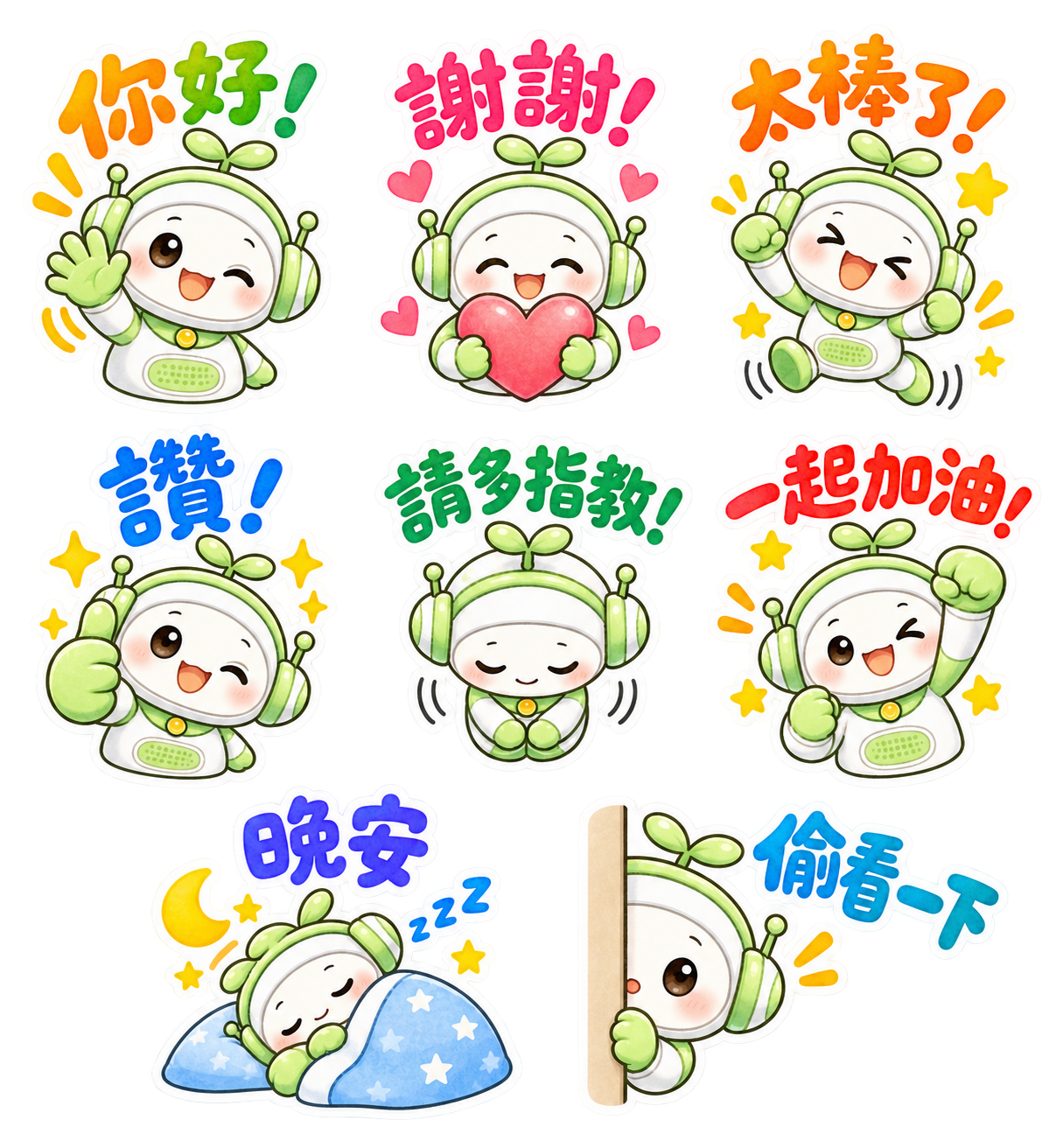
Please generate a sticker sheet containing exactly 8 separate LINE sticker images arranged in a clean grid layout, based on the provided reference character design.

## CHARACTER DESIGN

- Use the exact same character design from the provided reference image.
- Character: A friendly white-and-green kawaii robot with green headphones and a small green sprout on top of its head.
- Preserve the same face, body proportions, white-and-green color scheme, headphones, sprout, and overall character identity across ALL 8 stickers.
- Do not redesign or significantly alter the character.
- Keep the character recognizable and consistent throughout the entire sticker set.
- Each sticker must feature a clearly different pose and facial expression.
- Use rounded, adorable chibi proportions.

## ART STYLE

- Soft watercolor-style kawaii illustration.
- Warm, gentle, hand-painted watercolor texture.
- Cute Taiwanese/Japanese stationery and LINE sticker aesthetic.
- Soft pastel colors with subtle watercolor variation and shading.
- Slightly textured watercolor fills.
- Clean but gently hand-drawn outlines rather than rigid digital vector lines.
- Bright, cheerful, warm, friendly, and highly expressive.
- Add small decorative elements where appropriate, such as:
  - sparkles
  - stars
  - hearts
  - motion marks
  - excitement marks
  - crescent moons
  - sleep symbols
  - Zzz symbols
- Keep all decorative elements close to their corresponding character and text.

## NO SPEECH BUBBLES — EXTREMELY IMPORTANT

DO NOT use speech bubbles of any kind.

- NO speech bubbles.
- NO dialogue balloons.
- NO thought bubbles.
- NO colored bubble behind the text.
- NO text boxes.
- NO rectangular labels.
- NO banners.
- NO panels behind the lettering.
- NO solid background shapes behind the text.

The Traditional Chinese text itself must appear directly above or beside the character as large, colorful decorative lettering.

The lettering should be an illustrated part of the sticker composition, similar to professionally designed Taiwanese LINE stickers.

## TRADITIONAL CHINESE TEXT — VERY IMPORTANT

Use ONLY Traditional Chinese (繁體中文, Taiwan / zh-TW).

Spell every phrase EXACTLY as specified below.

- Do NOT use Simplified Chinese.
- Do NOT convert Traditional Chinese characters into Simplified Chinese.
- Do NOT use Japanese kanji variants.
- Do NOT add Japanese text.
- Do NOT add English text except for decorative "Zzz" in the sleeping sticker.
- Do NOT add pinyin.
- Do NOT add translations.
- Do NOT add subtitles.
- Do NOT add any additional words.

## COLORFUL LETTERING WITH THICK WHITE OUTLINE — CRUCIAL

The Traditional Chinese text must NOT be white text inside a colored shape.

Instead:

THE CHINESE CHARACTERS THEMSELVES MUST BE COLORFUL.

Use large, bold, colorful Traditional Chinese characters with a THICK WHITE OUTLINE around every character.

The lettering should have:

- Bright watercolor-style colored fills.
- Thick, clean WHITE outlines.
- Rounded, cute, playful shapes.
- Bold, substantial strokes.
- Hand-drawn appearance.
- Slight watercolor texture inside the colored characters.
- High readability even at small LINE sticker sizes.
- Professionally illustrated display-lettering appearance.

Use cheerful colors such as:

- orange
- pink
- red
- green
- blue
- turquoise
- purple
- coral
- yellow-orange

Different phrases should use different colors appropriate to their emotions.

The text may use one main color or a playful combination of two complementary colors.

Slight variations in character size, angle, rotation, and baseline are encouraged.

The lettering may gently curve or arch above the character.

The text should feel energetic, organic, cute, and hand illustrated rather than digitally typed.

IMPORTANT:

COLOR FILL → CHINESE CHARACTER → THICK WHITE OUTLINE

Do NOT put a colored background shape behind the lettering.

## TEXT AND CHARACTER PLACEMENT

Place the colorful text prominently above or beside each character.

The text must be:

- close enough to the character to visually form ONE sticker
- large enough to read clearly
- not overlapping the character's face
- not cropped
- not touching text from another sticker

The character, text, and decorative elements must visually form ONE unified sticker composition.

## WHITE STICKER BORDER — CRUCIAL

Every complete sticker must have a thick, clean WHITE outer sticker border.

The white border must visually surround and unify:

- character
- colorful Traditional Chinese lettering
- hearts
- stars
- sparkles
- motion marks
- accessories
- decorative elements

The text itself must also have its own thick white outline.

The complete composition should look like a professionally die-cut LINE sticker.

## GRID LAYOUT

Create EXACTLY 8 stickers.

Use this arrangement:

Row 1: 3 stickers
Row 2: 3 stickers
Row 3: 2 stickers

Use a 3 + 3 + 2 layout.

The final row containing 2 stickers may be centered for visual balance.

Perfect vertical alignment is not required.

Prioritize:

- generous spacing
- balanced composition
- readability
- clean separation
- easy automatic cutting

## SPACING — EXTREMELY IMPORTANT

Every sticker must be completely isolated from every neighboring sticker.

Leave clear and continuous transparent space:

- between every sticker
- between every column
- between every row

NO part of one sticker may touch another sticker.

This includes:

- character
- colorful text
- white text outlines
- outer white borders
- stars
- hearts
- sparkles
- motion marks
- moons
- Zzz symbols
- decorative effects

Leave AT LEAST 10 pixels of completely transparent padding on the TOP, BOTTOM, LEFT, and RIGHT sides of EACH complete sticker unit.

The transparent padding must be OUTSIDE the thick white sticker border.

Do not place isolated stars, hearts, sparkles, or other tiny elements in the transparent gaps between stickers.

## BACKGROUND

- Transparent PNG background.
- TRUE alpha transparency.
- No white background.
- No black background.
- No colored background.
- No scenery.
- No background texture.
- No checkerboard pattern rendered into the actual image.
- All areas between stickers must remain completely transparent.

## 8 STICKERS AND EXACT zh-TW TEXT

### 1. 「你好!」

- Cheerful greeting.
- Character waving happily with one hand.
- Bright, friendly smile.
- Playful wink is acceptable.
- Place exactly:
「你好!」
above the character.
- Use bright ORANGE and/or GREEN colorful lettering.
- Give every character a thick WHITE outline.
- Add a few cheerful orange motion marks or sparkles.

### 2. 「謝謝!」

- Character holding a large pink or red heart with both hands.
- Warm, grateful smile.
- Rosy cheeks.
- Place exactly:
「謝謝!」
above the character.
- Use bright PINK or RED-PINK lettering.
- Give every character a thick WHITE outline.
- Add several small pink hearts.

### 3. 「太棒了!」

- Character jumping enthusiastically.
- Both arms raised or energetic fist-pump pose.
- Very happy and excited expression.
- Place exactly:
「太棒了!」
above the character.
- Use bright ORANGE or ORANGE-RED lettering.
- Give every character a thick WHITE outline.
- Add yellow stars, sparkles, and energetic motion marks.

### 4. 「讚!」

- Character giving a large thumbs-up.
- Cheerful smile with a playful wink.
- Place exactly:
「讚!」
above the character.
- Use bright BLUE lettering.
- Give every character a thick WHITE outline.
- Add yellow sparkles around the character.

### 5. 「請多指教!」

- Character making a polite and adorable bow.
- Hands together in front.
- Eyes gently closed.
- Friendly, humble, and welcoming expression.
- Place exactly:
「請多指教!」
above the character.
- Use bright GREEN lettering.
- Give every character a thick WHITE outline.
- Keep the full phrase large and clearly readable.
- A gentle curved arrangement is acceptable.

### 6. 「一起加油!」

- Character making an energetic fist-pump pose.
- One fist raised high.
- Encouraging, enthusiastic, adorable expression.
- Place exactly:
「一起加油!」
above the character.
- Use bright RED or CORAL-RED lettering.
- Give every character a thick WHITE outline.
- Add yellow stars and orange energetic action marks.

### 7. 「晚安」

- Character sleeping peacefully.
- Eyes closed.
- Character curled up under a soft blue blanket with a pillow.
- Place exactly:
「晚安」
above the sleeping character.
- Use BLUE, INDIGO, or PURPLE-BLUE lettering.
- Give every character a thick WHITE outline.
- Add:
  - crescent moon
  - small yellow stars
  - subtle blue "Zzz" symbols
- Create a peaceful and adorable nighttime atmosphere.

### 8. 「偷看一下」

- Character cutely peeking from behind a vertical beige wall, door, or panel.
- Only part of the character is visible.
- Curious, shy, playful, adorable expression.
- Place exactly:
「偷看一下」
above or beside the character.
- Use bright TURQUOISE or CYAN-BLUE lettering.
- Give every character a thick WHITE outline.
- Add one or two small orange attention marks.

## AUTOMATIC STICKER CUTTING REQUIREMENT — EXTREMELY IMPORTANT

This sticker sheet will later be processed by an automatic LINE sticker cutting tool.

Each sticker must therefore form ONE isolated visual group consisting of:

COLORFUL TEXT
+ WHITE TEXT OUTLINE
+ CHARACTER
+ DECORATIVE ELEMENTS
+ THICK WHITE OUTER STICKER BORDER

The colorful text must be positioned close to its corresponding character so that the text and character are recognized as ONE connected sticker composition.

Different stickers must NEVER become visually connected to each other.

Maintain completely transparent separation between all 8 sticker groups.

Keep hearts, stars, sparkles, motion marks, moons, and other decorative elements close to their corresponding character.

Do not scatter tiny decorations into the transparent gaps.

Maintain at least 10 pixels of completely transparent padding around every isolated sticker group.

## FINAL QUALITY REQUIREMENTS

The final image should look like a professionally illustrated Taiwanese LINE sticker collection.

Visual keywords:

soft watercolor
kawaii
Taiwan LINE sticker aesthetic
Japanese stationery aesthetic
hand-painted
chibi
pastel
bright cheerful colors
Traditional Chinese hand lettering
colorful Chinese characters
thick white text outlines
NO speech bubbles
die-cut sticker appearance
thick white sticker borders
expressive poses
clean transparent background

## MOST IMPORTANT

1. EXACTLY 8 stickers.
2. SAME character design throughout.
3. EXACT Traditional Chinese phrases as specified.
4. TRADITIONAL CHINESE (zh-TW) ONLY.
5. NEVER use Simplified Chinese.
6. ABSOLUTELY NO SPEECH BUBBLES.
7. The CHINESE CHARACTERS THEMSELVES must be COLORFUL.
8. Every Chinese character must have a THICK WHITE OUTLINE.
9. NO colored shape or bubble behind the text.
10. Text should appear directly above or beside the character.
11. Character + text + decorations must form ONE sticker unit.
12. Thick WHITE outer sticker border around EVERY complete sticker.
13. NO sticker may touch or overlap another sticker.
14. At least 10 pixels of transparent padding on ALL FOUR SIDES of EACH sticker.
15. Use a 3 + 3 + 2 layout.
16. TRUE TRANSPARENT PNG BACKGROUND.
17. No checkerboard pattern, white canvas, black canvas, or colored background.
18. Keep every sticker fully inside the canvas.
19. Do not crop any character, lettering, white outline, or decorative element.
20. Keep all decorative elements close to their corresponding sticker.將這個 Prompt 範例貼到 ChatGPT,接著告訴 ChatGPT 你的需求,例如 對話框的設計、貼圖的排列方式,以及想要加入貼圖中的文字內容,然後請 ChatGPT 根據這些條件產生適合圖片生成的英文 Prompt。
ChatGPT 會幫你整理需求,並產生一份以英文撰寫、讓圖片生成 AI 更容易理解的 Prompt。
Prompt 完成後,只要將它和作為基礎的角色圖片一起上傳給 ChatGPT,再請 ChatGPT 生成 LINE 貼圖圖組即可。
另外,也可以試著使用 ChatGPT 創作自己的原創角色!
用你喜歡的角色,製作一套專屬於自己的可愛 LINE 貼圖吧!
.png?w=500&h=250)
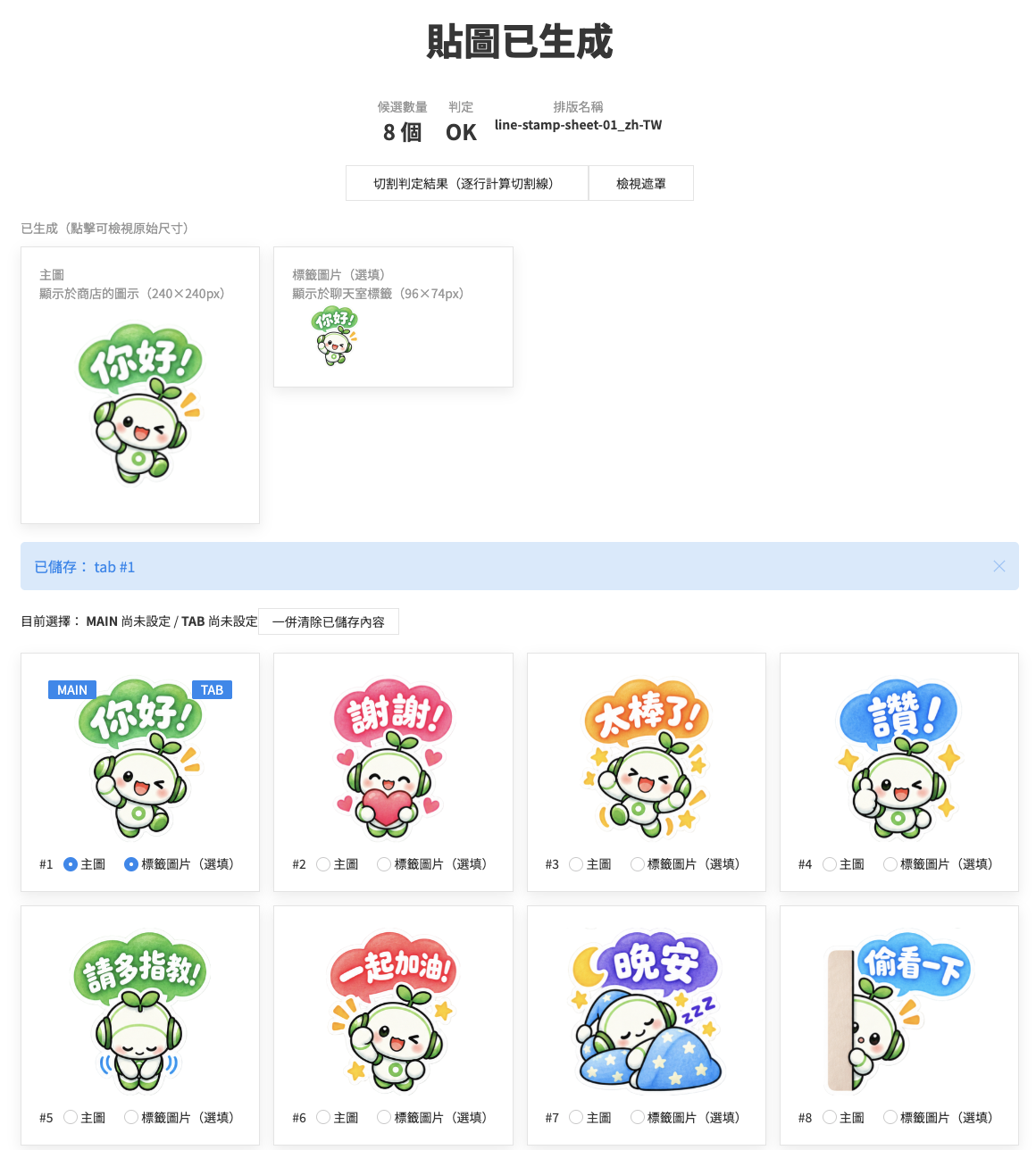
若貼圖彼此黏在一起,或被切割得過於瑣碎等,未如預期般順利切割時,請嘗試調整頁面上方的詳細參數設定項目。或是透過 X@ivyjp與我們聯絡。
製作與申請 LINE 貼圖時,各類圖片皆有詳細規定的建議尺寸與格式。使用本工具,只需上傳即可一次批次裁切、調整為最適當的尺寸。
聊天室標籤圖片(1張)
主圖(1張)
貼圖圖片(8/16/24/32/40張)
製作時的共通指引
 圖片・社群
圖片・社群
 LINE貼圖切割器
 去背工具 BG Remover
 Favicon製作
 OGP預覽檢查工具
 圖片縮放・格式轉換工具
 圖片取色器
圖片取色器
 圖片裁切・旋轉
 PDF・文書
 PDF壓縮
PDF壓縮
 PDF合併
PDF合併
 字數統計
字數統計
 Web・開發
 QR Code產生器
 網域查詢
網域查詢
 UIkit編輯器
 .htaccess產生器
 顯示連線IP
 HTML實體轉換(跳脫字元)
 URL編碼・解碼轉換
 網速測試
網速測試
 搜尋・生活
搜尋・生活
 郵遞區號查詢
 電話號碼查詢
 單位換算
單位換算
 年齡早見表
年齡早見表
 耳齡測試
耳齡測試
 便利・其他
便利・其他
 抽籤占卜
抽籤占卜
 密碼產生器
密碼產生器
 數值字元參照轉換